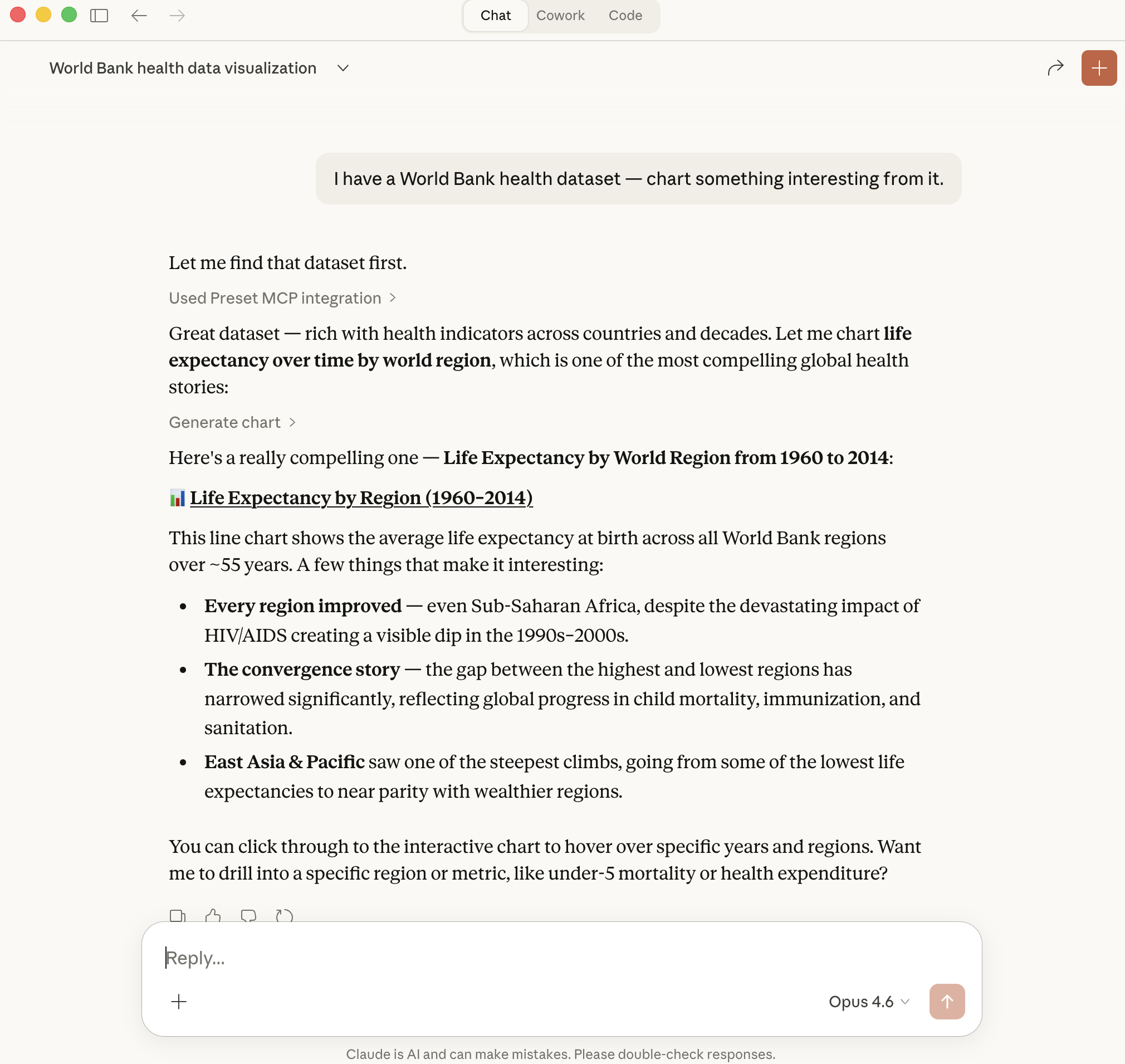
Meet Preset Chatbot
Preset Chatbot turns questions into charts and dashboards. You have the data, now you can find and tell your data story. Preset AI is grounded in your semantic layer and permission-aware by design, with every response respecting row-level security, column masks, and workspace roles, exactly as if you'd written the SQL yourself. Available today for Enterprise customers.
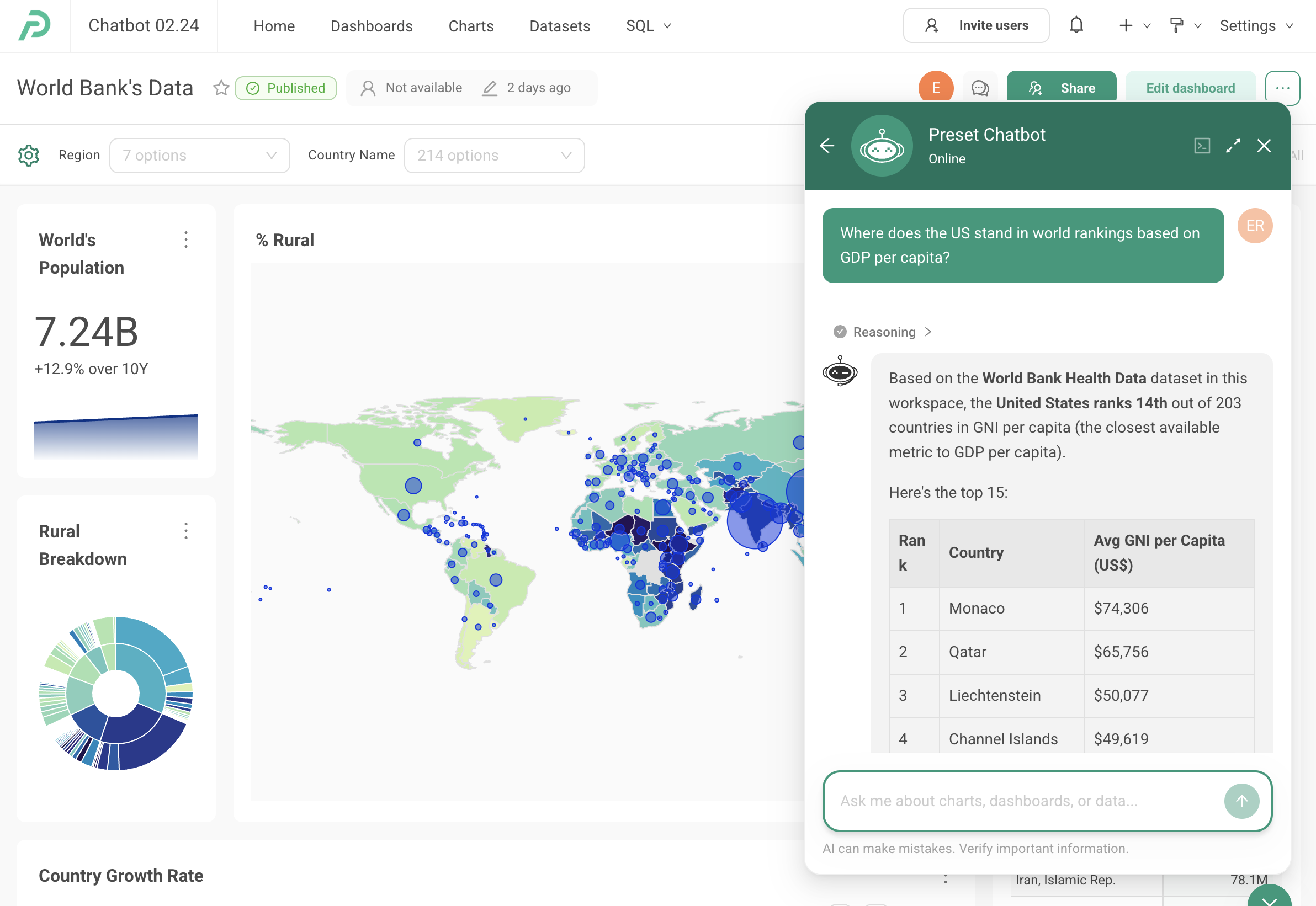
Ask Preset Chatbot questions about your data right from a dashboard. Get ranked tables, insights, and more.
1 / 4
What Preset Chatbot Can Do
Ask questions, get charts
Type a question in plain English and Preset Chatbot returns a visualization. No SQL, no drag-and-drop, just answers.
Build dashboards through conversation
Go from question to full dashboard iteratively. Ask Preset Chatbot to add charts, change filters, or break down data by new dimensions.
Explore datasets without writing SQL
Preset Chatbot understands your data model and suggests relevant columns, metrics, and groupings, making exploration accessible to everyone.
Refine and iterate interactively
Not quite right? Ask Preset Chatbot to adjust the chart type, change the time range, add a filter, or drill into a specific segment. All in natural language.
Permission-aware by design
Every Preset Chatbot response runs through the same row-level security, column-level masking, and role-based permissions that protect your dashboards. Users only see what they're already allowed to see; never more, never different. No special configuration; nothing to bolt on. This has been a core principle of Preset Chatbot since GA, not an afterthought.
Included with Enterprise — no separate AI SKU on top
Preset Chatbot is part of Preset Enterprise alongside dbt integration, MPC deployment, SSO/SAML, and audit logging — not a separate add-on you license on top of a base plan. Power BI customers add Premium Per User or Microsoft Fabric on top of Pro for Copilot; Tableau customers add Tableau+ on top of Tableau Cloud for Tableau Agent. Preset's AI lives inside the same plan as the rest of the enterprise feature set.
Bring your own model (BYOK)
Enterprise customers can plug in their own OpenRouter API key to route Preset Chatbot through the model provider of their choice. Anthropic, OpenAI, Google, or whoever you've standardized on — your model, your billing, our governance. None of the major BI vendors' AI tiers currently offer this.
Availability and rollout
Preset Chatbot is launching on the Enterprise plan. We'll expand access to more plans over time.
- Existing Enterprise customers: flip Chatbot on yourself in Workspace Settings to try it out, then reach out to your Customer Success representative when you're ready to upgrade to full access.
- New Enterprise trials: you'll get a limited pool of tokens allocated automatically when your trial starts.
- Pro and Trial customers: your workspace admin can turn on a limited evaluation of Chatbot from Workspace Settings.
- When your trial ends: Chatbot functionality is disabled. Contact Preset Customer Support for additional tokens or trial extensions.
- Paying Enterprise customers can bring their own OpenRouter key (BYOK) to route Chatbot through the account of their choice.
Frequently Asked Questions
Preset Chatbot is Preset's AI-powered conversational analytics assistant. It lets you ask questions about your data in plain English and get back charts, dashboards, and insights, with no SQL required. Preset Chatbot understands your datasets, suggests visualizations, and helps you iterate on analysis through natural conversation.
Preset Chatbot is currently available on the Enterprise plan. Existing Enterprise customers can flip Chatbot on themselves in Workspace Settings to try it out, then reach out to their Customer Success representative when they're ready to upgrade to full access. New Enterprise trials come with an allocation of tokens automatically. Pro and Trial customers can enable a limited evaluation from Workspace Settings. Broader plan availability is on the roadmap, though we don't have specific dates to share yet.
Preset Chatbot is a workspace-level feature enabled in Preset Manager. Open Workspace Settings on the workspace where you want Chatbot enabled and flip the feature on. Once it's on, the chat panel shows up inside the workspace and your users can start asking questions.
Yes — permission-aware analytics is core to how Preset Chatbot was built, not a feature we added later. Every interaction inherits the authenticated user's row-level security, column-level masking, RBAC, and workspace roles. The chatbot cannot return data the user isn't already authorized to see, suggest actions the user isn't allowed to take, or surface tools beyond the user's role. The governance stack that protects your dashboards is the same one that governs every conversation.
When an Enterprise trial ends, Preset Chatbot is automatically disabled on the workspace. If you use up your allocated tokens during a trial, or want to extend your trial to continue evaluating Chatbot, contact Preset Customer Support. We can often accommodate additional tokens or trial extensions.
Preset Chatbot supports all data sources that Preset and Apache Superset connect to, including Snowflake, BigQuery, Redshift, Databricks, PostgreSQL, and the rest of the Superset connector catalog. Because Chatbot operates on top of your existing semantic layer, any source you can query in Preset can be explored through Chatbot.
Yes. Paying Enterprise customers can plug in their own OpenRouter API key, letting them route Chatbot traffic through the account of their choice and handle token billing on their side. BYOK is not available on Free, Trial, or Pro tiers at GA.
Yes. Preset Chatbot is the built-in in-product experience, while Preset MCP exposes the same governed analytics platform to any MCP-compatible AI client. Teams can use whichever AI surface fits their workflow, or combine both.
Preset Chatbot is included with Preset Enterprise alongside the rest of the enterprise feature set — governance, dbt, MPC, SSO, dedicated support — so you're not paying for AI as its own SKU on top of a base plan. The closest analog by vendor: Power BI Copilot is a genuinely separate licensing track (Premium Per User on top of Pro, or Microsoft Fabric F64+ capacity); two licenses, two budget lines. Tableau Agent (formerly Einstein Copilot) lives on Tableau+, a premium AI-focused tier above Tableau Cloud — positioned specifically as the AI tier. Gemini in Looker is included with Looker, but anchored to Google Cloud and LookML. ThoughtSpot Sage/Spotter is bundled across tiers but with per-user query caps that drive consumption pressure as usage grows. Preset is the only one on this list where Enterprise customers can also bring their own OpenRouter key to route AI traffic through their own model provider. See /vs-tableau/, /vs-power-bi/, /vs-looker/, and /vs-thoughtspot/ for the head-to-head.
Prefer to bring your own AI client?
If you'd rather use Claude, Cursor, or another MCP-compatible AI client as your analytics surface, Preset MCP exposes the same governed platform to any of them — the same security, the same semantic layer, a different front door.