


Apache Superset vs Tableau: A Practical Comparison


Tableau helped define modern business intelligence. It popularized visual analytics on desktop, trained a generation of analysts on drag-and-drop charting, and set the bar for polished dashboards. Almost two decades later, the way teams collect, model, and share data has changed. Warehouses are cloud-native, pipelines are code, and dashboards are expected to live where the work happens — in a browser, in Slack, or embedded in a product.
Apache Superset was built for that world. It is the most widely adopted open-source BI platform and powers analytics at companies that need to scale access without scaling license spend. This post compares Apache Superset and Tableau across the areas that matter most in a real evaluation: architecture, pricing, integrations, governance, and the path to getting value in production.
Where Tableau Came From, and Where It Is Now
Tableau started as a research project at Stanford and grew into a category-defining product for data visualization. Its desktop-first model worked well when datasets were smaller, when analysts owned their own workbooks, and when publishing meant sending a file to a colleague. That model is under pressure today. Cloud warehouses have moved the center of gravity to the data layer, collaboration expectations have moved to the browser and AI agents, and procurement teams are scrutinizing per-seat licensing as headcount grows.
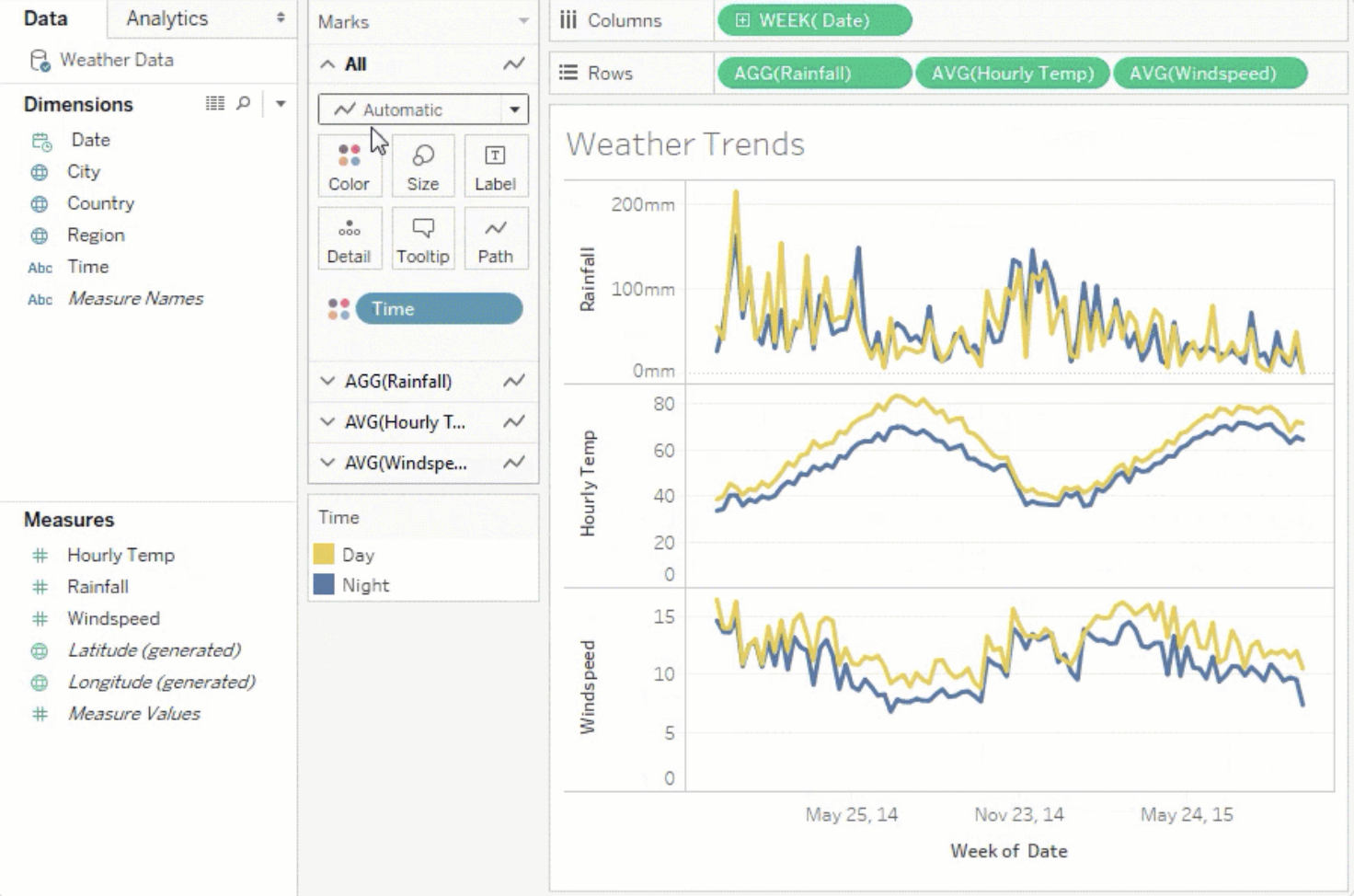
Since Salesforce acquired Tableau in 2019, the pace of platform-level change has slowed relative to the broader BI category. Tableau still has a deep visualization library and a large community, but the architectural choices that made it successful on desktop now create friction for teams working against cloud data warehouses and modern software practices.
Why Apache Superset Exists
Apache Superset was created at Airbnb to address exactly the scaling problems that Tableau did not solve well: connecting natively to distributed query engines, giving thousands of employees self-serve access without per-user license costs, and fitting into a software development workflow where assets are versioned and deployed like code. The original story behind Superset explains the specific constraints that led to its design.
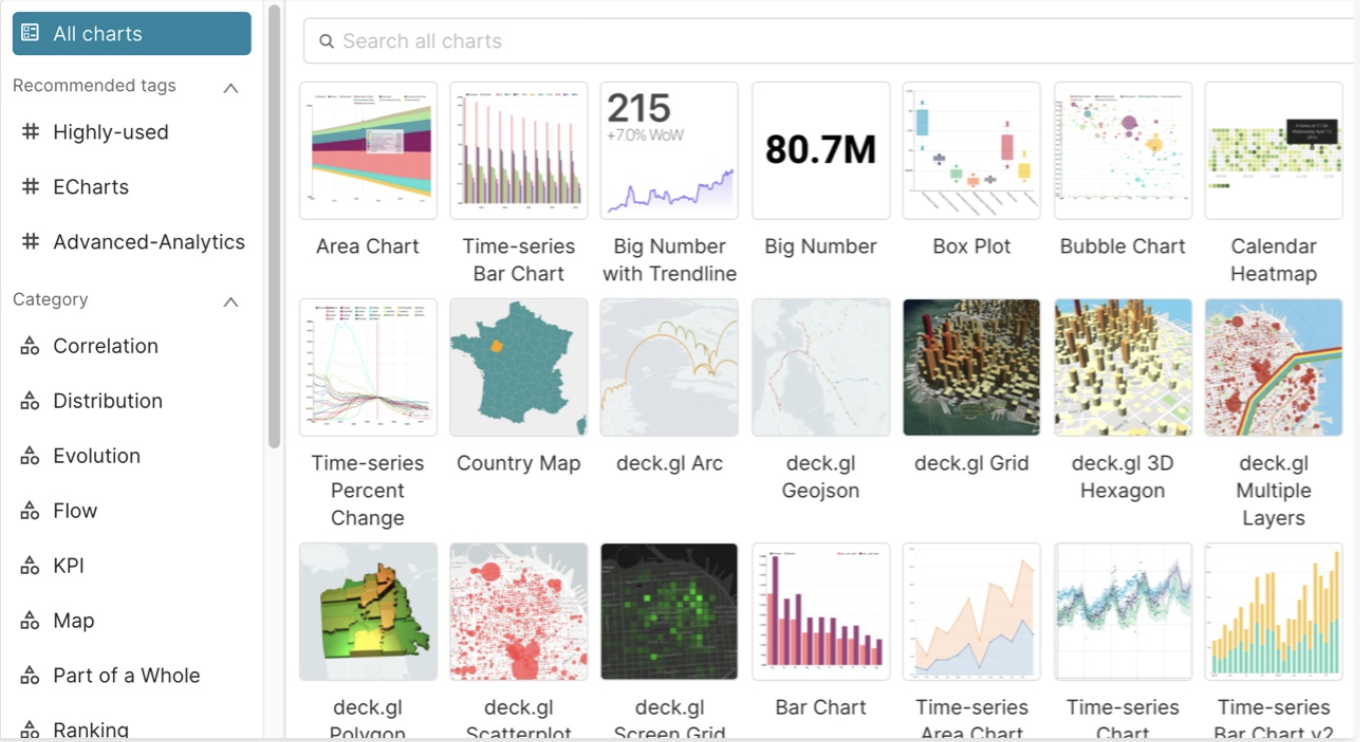
Today Superset supports more than forty chart types, connects natively to over 75 databases, and is extensible at the source. Teams can add custom database drivers, build new visualizations, and shape permissions to match their internal policies. Because it is open source under the Apache Software Foundation, adoption does not require a long procurement cycle, and roadmap influence is open to contributors.
Superset vs Tableau: The Core Differences
Most comparisons fall into four areas. Each one tells a different part of the story.
1. Architecture and deployment
Tableau Desktop remains the primary authoring surface, which means dashboard builders need a Windows or Mac machine with Tableau installed, and organizations need to license that authoring capability separately from viewing. Apache Superset is browser-based end to end. Authors, reviewers, and viewers all work in the same environment, which reduces onboarding friction and removes a class of "my Tableau file won't open" problems.
2. Pricing model
Tableau's tiered pricing (Creator, Explorer, Viewer) rewards organizations that tightly restrict who can build, and penalizes organizations that want broad self-serve analytics. Superset has no license cost; the only cost is infrastructure and the team time to run it. For teams that want the benefits of open source without the operational burden, Preset Cloud offers a managed path at a fraction of Tableau's per-seat cost.
3. Integration with the modern data stack
Superset was built to live next to cloud warehouses and query engines like Snowflake, BigQuery, Databricks, Trino, and Presto. It supports building first-class database connectors rather than relying on generic ODBC paths. Tableau supports many of the same sources, but tends to push teams toward extracts for performance, which reintroduces the "stale data" problem that cloud warehouses were supposed to eliminate.
4. Governance, code, and change management
Dashboards-as-code matters when dashboards are business-critical. Superset supports exporting and importing assets as files, which means charts and dashboards can be version controlled, reviewed, and deployed through the same CI systems as the rest of your codebase. Tableau does not offer a comparable developer workflow; workbooks are binary, and change management is handled through convention rather than code.
Feature Comparison
| Category | Tableau | Apache Superset |
|---|---|---|
| SQL databases | Broad native support | Broad native support |
| NoSQL databases | Native MongoDB and others | Through Trino or Presto |
| Custom database drivers | Limited; typically ODBC | First-class support for new connectors |
| Custom visualizations | No-code extensions | JavaScript plugins |
| No-code query builder | Yes | Yes |
| Preview generated SQL | Yes | Yes |
| Semantic / virtual datasets | Yes | Yes |
| SSO and audit logs | Yes | Yes |
| Dashboards-as-code | No | Yes |
| Public roadmap | No | Yes (GitHub) |
When Tableau Still Makes Sense
Tableau is the right tool for some teams. If your organization has standardized on Tableau for a decade, if you rely on specific Tableau visual types that have no close analog, or if your analysts are strongly attached to the desktop authoring model, a migration is not always the highest-value project. The same is true if your workloads are small, your user count is tightly controlled, and your data is not headed toward a cloud warehouse.
When Apache Superset Is the Better Choice
Superset tends to win when any of the following are true: the team wants broad self-serve access without per-seat economics, your data stack is cloud-native and SQL-first, dashboards need to be managed like code, or the organization prefers open source to avoid vendor lock-in. Superset also scales well for embedded analytics, where Tableau's model is harder to justify on a cost-per-end-user basis.
How Preset Cloud Fits In
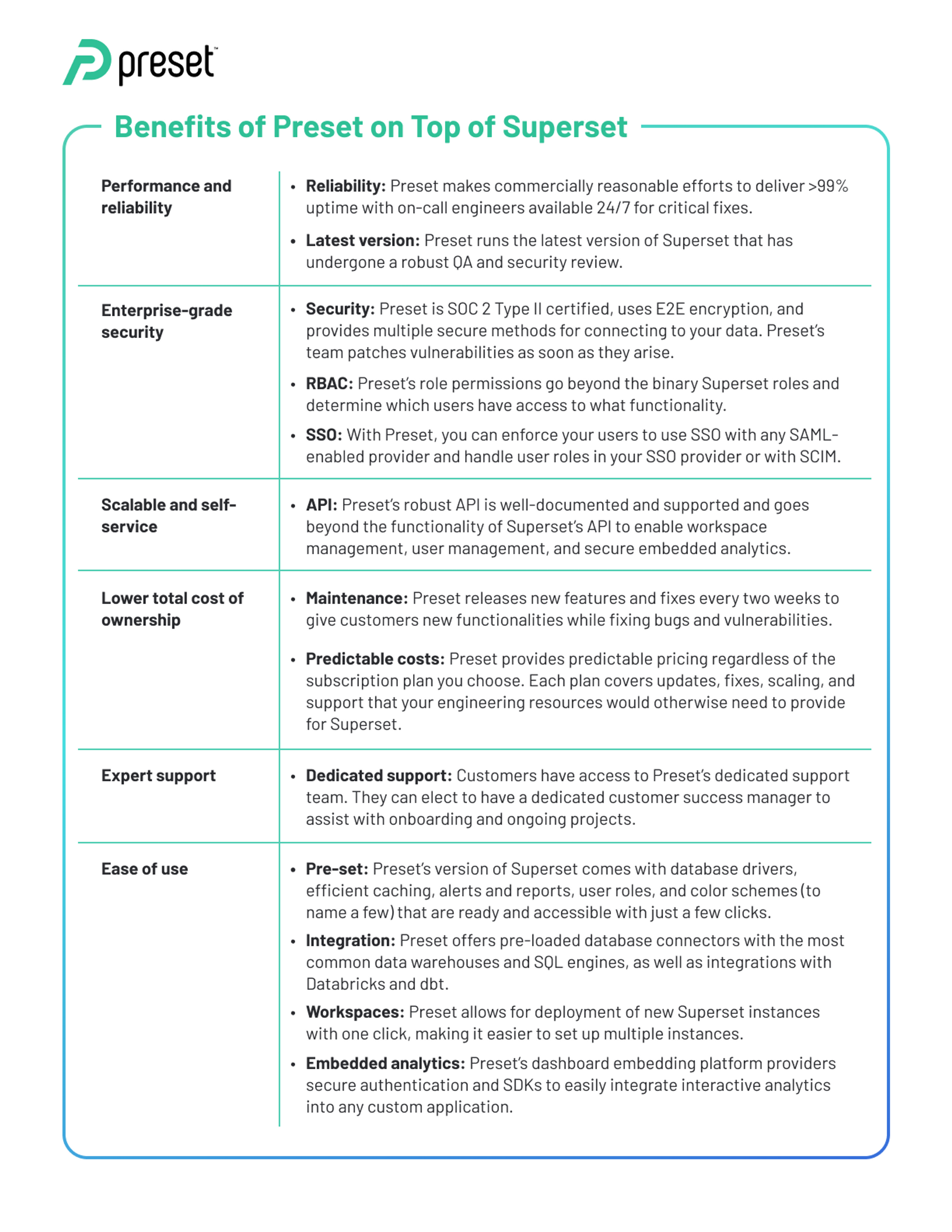
Running Superset well in production takes time: container orchestration, caching, upgrades, SSO, auditing, and integration with your identity provider. Preset Cloud is a managed Superset service that handles that operational burden and adds enterprise features on top — embedded analytics, tenant-level isolation, role management, and premium support. Teams that want the Superset model without hiring for it can start on the free Preset tier and scale from there. For a deeper look at the tradeoffs, see our piece on managing Apache Superset in production.
Cost Comparison
Apache Superset has no license cost. Tableau's Creator seats carry a significant per-user fee, and viewer seats add up quickly at scale. Preset Cloud offers a generous free tier for small teams and paid tiers that typically land well below Tableau's effective per-user cost, without the desktop-app overhead.
Deciding Between the Two
The right answer depends on where your team is going, not only where it is today. If the roadmap points toward a cloud warehouse, broader self-serve access, and BI assets managed through code, Apache Superset is the stronger foundation. If your environment is stable, your seat count is small, and Tableau is already entrenched, the short-term case for change is weaker.
For a side-by-side view of Preset's managed offering against Tableau specifically — pricing, deployment, deep feature matrix — see our Preset vs Tableau comparison.
Frequently Asked Questions
Is Apache Superset really free?
Yes. Apache Superset is open source under the Apache 2.0 license and there is no per-user or per-feature fee. The cost of running it yourself is infrastructure and engineering time. Preset Cloud is a separate, optional managed service for teams that do not want to run Superset themselves.
Can Apache Superset handle enterprise workloads?
Yes. Superset is used at companies processing billions of rows of data per day. Performance is driven primarily by the underlying warehouse or query engine, with Superset's caching layer optimizing repeated queries.
How does Superset compare to Tableau for non-technical users?
Both offer drag-and-drop chart building against curated datasets. Business users who explore prebuilt datasets in Superset generally reach a similar level of self-service as in Tableau, without needing a desktop application. Business users can also try connecting Preset MCP to their LLM of choice, or chatting directly in Preset with our Chatbot to surface real-time insights through natural conversation.
Can we migrate Tableau dashboards to Superset?
Dashboards need to be recreated rather than converted directly. Most teams migrate incrementally, starting with the highest-usage or highest-cost workloads, and run both tools side by side during the transition.
What about other BI tools?
We maintain comparisons with other platforms as well, including Apache Superset as a Looker alternative, Apache Superset vs ThoughtSpot, and Apache Superset and Mode Analytics.
Next Steps
Try Apache Superset directly if you want to run it yourself, or start on the free Preset tier if you want a managed path. If you are actively comparing Preset with Tableau for a live evaluation, our Preset vs Tableau page walks through pricing, deployment, and governance differences in detail, and our team is happy to set up a scoped demo.
